Form 16 is the single most important document for salary tax filing. Here's where to find it and what to do if you don't have it yet.
What is Form 16?
Form 16 is a TDS certificate your employer issues confirming: - How much salary they paid you - How much TDS (tax) they deducted - What deductions (80C, HRA, etc.) they considered
It has two parts: Part A (TDS summary) and Part B (detailed salary breakup). You need the complete PDF with both parts.
Where to Get It
Option 1: HR Portal (fastest)
Most companies publish Form 16 on their HRMS platform:
| Platform | Where to find it |
|---|---|
| Darwinbox | Payroll → Tax → Form 16 |
| Keka | My Finances → Tax Declarations → Form 16 |
| GreytHR | Payroll → Income Tax → Form 16 |
| SAP SuccessFactors | Pay → Tax Documents |
| Zoho People | Self Service → IT Declaration → Form 16 |
Option 2: Email from HR
Many companies email Form 16 as a password-protected PDF between May–June. Check your inbox (and spam) for: - Subject lines containing "Form 16" or "TDS Certificate" - Emails from HR, Payroll, or Finance team
Option 3: Ask Directly
If neither option works, send an email to your HR/Payroll team:
Hi, could you please share my Form 16 for FY 2025-26? I need it for ITR filing. Thanks.
They're legally required to provide it by June 15.
Multiple Employers?
If you switched jobs during FY 2025-26, you need Form 16 from each employer for the period you worked there. Upload all of them — Arth consolidates automatically.
Password-Protected PDFs
Common passwords employers use:
- Your PAN in uppercase (e.g., ABCDE1234F)
- Date of birth as DDMMYYYY (e.g., 15061990)
- Employee ID
- First 4 letters of name in caps + DOB (e.g., ARJUN15061990)
Enter the password when uploading to Arth — we'll decrypt and extract the data.
Upload to Arth
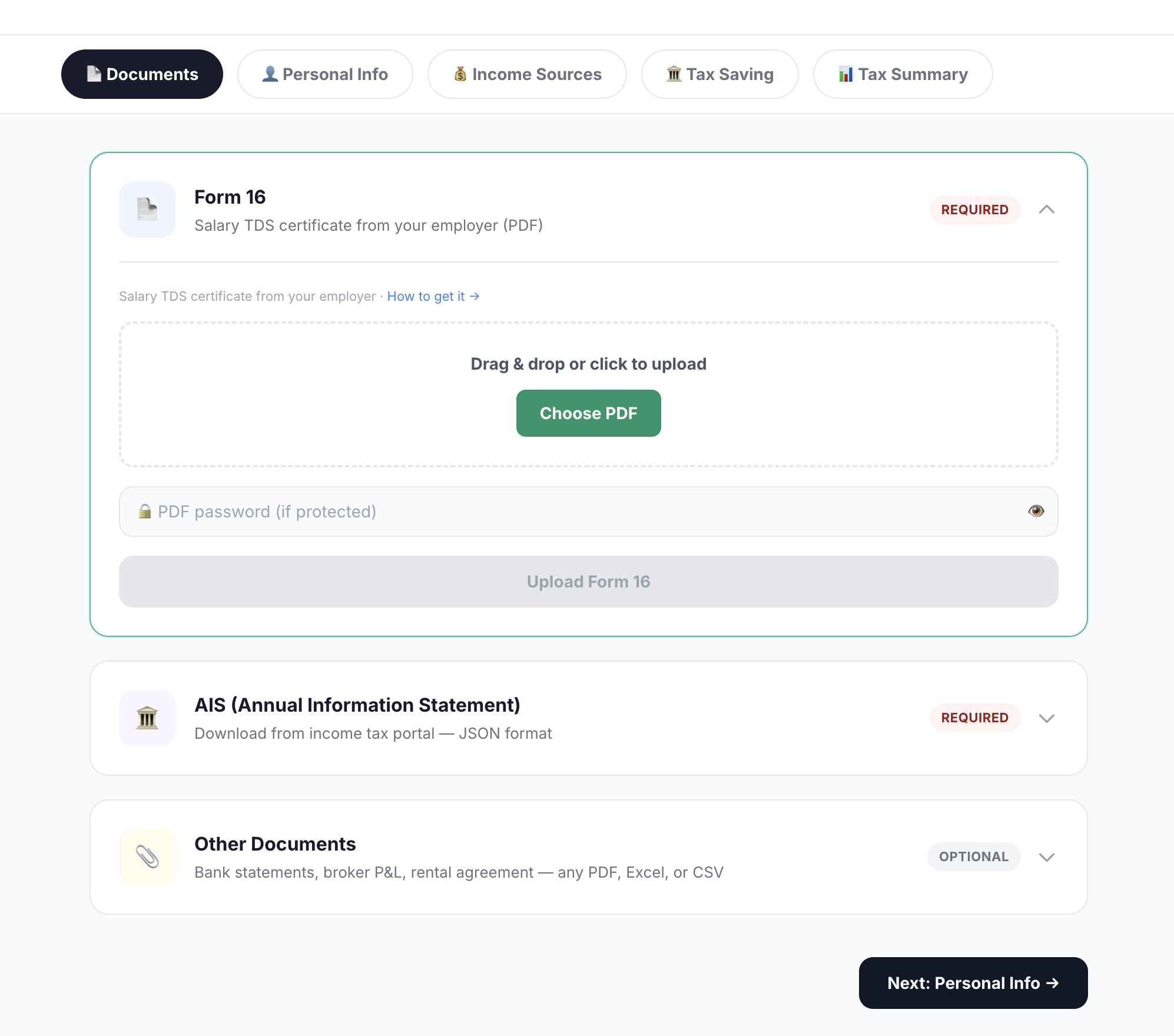
Once you have the PDF, go to Tax Filing → Documents → Form 16 → Upload. That's it — Arth extracts salary, TDS, and deductions automatically.
Don't Have Form 16 at All?
If your employer is unresponsive, you can still file using: - AIS — has salary and TDS from the IT department's records - Form 26AS — shows TDS deposited by employer - Salary slips — for manual entry of breakup
Upload whatever you have, and tell Arth in chat. We'll work with what's available.
Run these numbers on your finances
Arth looks at your full picture and tells you what actually matters.
Try Arth →